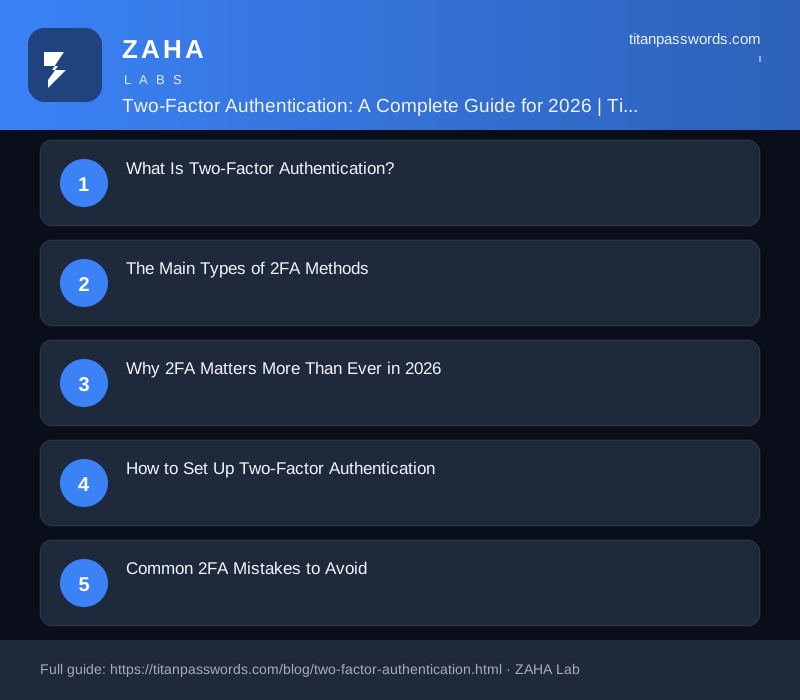
Passwords alone are no longer enough to protect your digital life. In 2026, billions of stolen credentials circulate on the dark web, and automated attacks test them against every major service within seconds. Two-factor authentication (2FA) is the single most effective defense you can add to any account. By requiring a second proof of identity beyond your password, 2FA blocks the overwhelming majority of account takeover attempts. This complete guide from TitanPasswords explains how 2FA works, the different methods available, and how to roll it out across your accounts the right way.
Two-factor authentication is a security process that requires two distinct forms of verification before granting access to an account. The principle is simple: combine something you know with something you have or something you are. A password is something you know. A one-time code from your phone is something you have. A fingerprint is something you are. Even if an attacker steals your password, they cannot log in without the second factor.
2FA is a subset of multi-factor authentication (MFA), which can involve two or more factors. For most consumers and small businesses, two well-chosen factors deliver enormous protection at minimal cost. Microsoft and Google have both reported that enabling 2FA blocks more than 99% of automated account compromise attempts, making it one of the highest-impact security steps anyone can take.
Not all second factors are created equal. Each method balances security and convenience differently, and understanding the trade-offs helps you choose wisely.
The threat landscape has shifted dramatically. AI-powered phishing kits now craft convincing fake login pages and personalized messages at scale. Credential-stuffing botnets weaponize the billions of leaked passwords from past breaches. Without a second factor, a single reused or guessed password can unlock email, banking, cloud storage, and social media in one cascade.
Regulators and platforms have responded. Many financial institutions, healthcare providers, and government portals now mandate 2FA, and major email providers increasingly require it by default. Enabling 2FA is no longer an optional power-user feature; it is a baseline expectation for anyone serious about protecting sensitive data.
Getting started is easier than most people expect. Follow these steps to secure your most important accounts first.
Even strong security can be undermined by simple oversights. Avoid these pitfalls to keep your protection intact. First, never store backup codes in the same place as your passwords without encryption. Second, do not rely exclusively on a single phone; if it is lost or damaged, you could be locked out. Register a second factor or hardware key as a backup. Third, stay skeptical of unexpected approval prompts. If you receive a push notification you did not trigger, deny it and change your password immediately, because it may signal that someone has your credentials.
The next evolution of authentication is already here. Passkeys, built on the same FIDO2 standard as hardware keys, replace passwords entirely with cryptographic credentials stored on your devices. They are phishing-resistant, cannot be reused across sites, and require nothing to memorize. As adoption grows across Apple, Google, and Microsoft ecosystems, passkeys are poised to make traditional 2FA simpler and stronger at the same time.
Two-factor authentication is one of the smartest investments you can make in your digital safety. By layering a second factor on top of strong, unique passwords, you transform vulnerable accounts into fortified ones. TitanPasswords combines a secure password vault with a built-in authenticator and passkey support, so you can manage credentials and second factors in one trusted place. Start enabling 2FA on your most important accounts today, and stay one step ahead of the threats of 2026.
Not all two-factor authentication methods offer the same level of protection, and choosing the right one depends on your situation. SMS-based codes are widely supported and easy to set up, but they carry risks if your phone number is transferred to an attacker through a SIM swap. App-based authenticators generate codes locally on your device, which removes the phone network as a weak link. Hardware security keys provide the strongest protection available to most people, requiring physical possession of a small device to complete a login.
As a general starting point, app-based authentication is a practical upgrade for most accounts. Reserve hardware keys for your most sensitive accounts, such as email, banking, and any account tied to your identity or finances.
One of the most common concerns people have about enabling 2FA is getting locked out. Planning for this before it happens makes a significant difference.
Enabling 2FA does not automatically mean it is functioning correctly. It is worth taking a few minutes to confirm the setup is solid.
Sign out of the account completely, then sign back in using a fresh browser session or a different device. Walk through the full login flow and confirm that your second factor is requested before you gain access. If the service skips the prompt entirely, check whether you accidentally marked that device as trusted, or whether the setting was saved correctly.
For app-based codes, check that the time on your authenticator app is synchronized correctly. Codes are time-sensitive, and a device with a clock that has drifted by even a few minutes will generate codes that the server rejects.
Once you start enabling 2FA broadly, keeping track of which accounts use which method becomes its own task. A few habits make this manageable.
Two-factor authentication stops many automated attacks, but determined attackers have developed techniques to work around it. The most common approach is a real-time phishing site that relays your credentials and your one-time code to the real service the moment you enter them, completing the login before your code expires.
Signs that a login page may be fraudulent include a URL that resembles but does not exactly match the real service, an unexpected redirect in the middle of a login flow, or a prompt that arrives without you initiating a login. When in doubt, navigate to the service directly by typing the address yourself rather than following a link. Hardware security keys offer strong protection against this class of attack because they verify the site's identity before responding, meaning a fake site receives nothing useful even if you plug in your key.
Keep the advice above in practice with NordPass, a password manager built for simple, secure storage.